Christmas photo card and collage app
Ink makes Christmas photo cards and collages on iPhone and Android: free templates such as a December photo diary take your greeting and save with no watermark. The Christmas card template with three family photos comes with Ink Premium.
A Christmas card in Ink is a collage with a greeting: start from a template or from any layout and type your own words.
Christmas card and collage templates
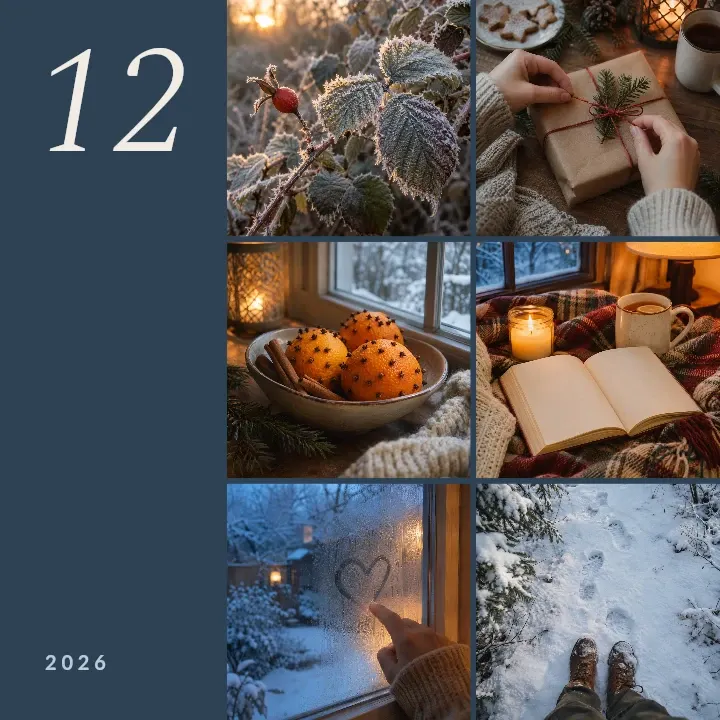
- December photo diary: six winter photos in three rows of two beside a large 12 and the year: six moments from your December.
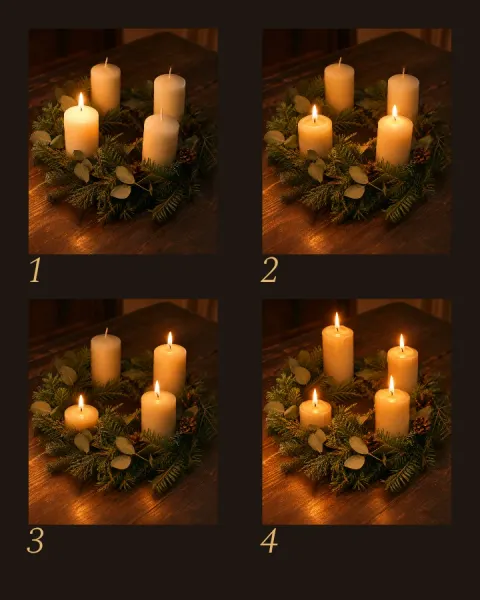
- Advent wreath collage: four photos in a 2×2 grid, numbered 1 to 4. Take one on each Sunday of Advent; on the fourth Sunday it is complete.
- Christmas market collage: four photos as tilted instant prints on dark plum, with the month and the year.
- Christmas card: three family photos on dark green, a large one on the left and two stacked beside it, above Merry Christmas and a line for your names and the year.
Turn any collage into a Christmas card
- Choose three to six photos from the year, one of them with everyone in it.
- Tap Pick photos and select them: Ink opens on layouts for that many, with your photos in place. Or open a Christmas template, tap each photo, tap Replace and pick yours.
- On a layout, tap ✓. Hold the photo with everyone in it, then tap the largest spot to swap them.
- Tap Text and type the greeting, your names and the year. In a template, tap Merry Christmas to change it.
- Tap the download button (Export), then Save image for the family chat, or Share image to pick the app.
The card stays in Projects: next December, open it, swap the photos and change the year.
What to write on a Christmas photo card
- One line and your names: Merry Christmas from Anna, Jonas & Leo · 2026. The photos say the rest.
- For a mixed list: Happy Holidays or Season’s greetings, for friends and colleagues who don’t all celebrate Christmas.
- For family in Germany: Frohe Weihnachten, or both greetings, one above the other.
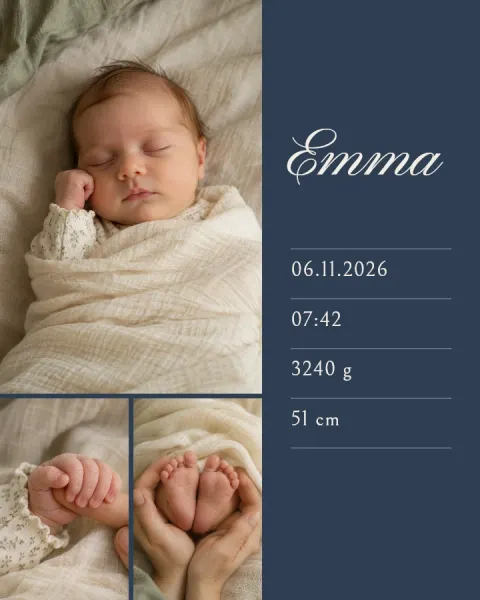
- Big news: put the newborn or the new front door in the large photo and say it in one line, such as Our first Christmas as four. The 3-photo layouts with a large photo on the left or a large photo on top suit it.
Christmas: templates and layouts
Christmas templates
-
 Advent wreath collage for the four Sundays
-
 Christmas market collage with instant-photo prints
-
 Christmas card with three family photos
Also a good start



Questions and answers
Can I make a Christmas card with photos for free?
Yes. The December photo diary, the Advent wreath collage and the Christmas market collage are free templates, and free layouts take up to 8 photos; add your greeting with the text tool. The three-photo Christmas card template is Premium.
When do I start the Advent collage?
On the first Sunday of Advent, the fourth Sunday before Christmas, with one photo of the wreath each Sunday after that.
Can I change Merry Christmas to my own greeting?
Yes. Merry Christmas is text like every other word in a template: tap it and type your own, or add another line with the text tool.
Get Ink on your phone
Scan to get Ink on your phone
Point your phone’s camera at the code. It opens the App Store on an iPhone and Google Play on Android.